
Manage multiple WordPress and Joomla sites from one dashboard
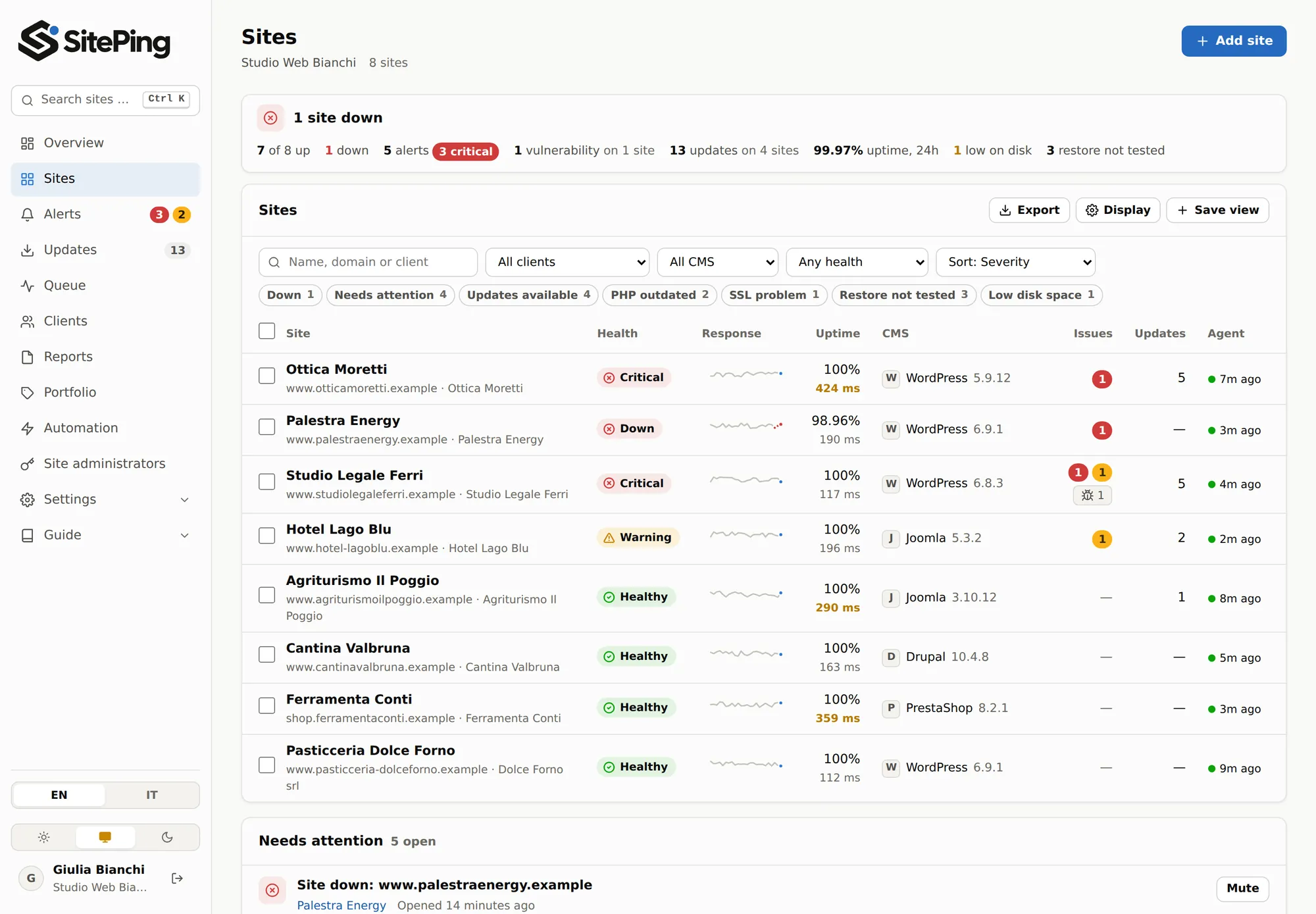
Most multi-site tools are made for WordPress. If you also look after Joomla sites you end up with two or three of them. With SitePing one is enough.
Three tools, three subscriptions, and nobody sees everything.
A WordPress dashboard, an external uptime monitor, a security plugin on each site, and nothing serious for Joomla: that's how many agencies work.
So alerts come from different places, and nobody has the state of every client in front of them.
You start with the URLs.
Add your sites
With the URLs, uptime, SSL, DNS, domain, sitemap and blacklist checks start straight away.
Install the agent
A light plugin for WordPress or Joomla adds the checks from inside.
Work by priority
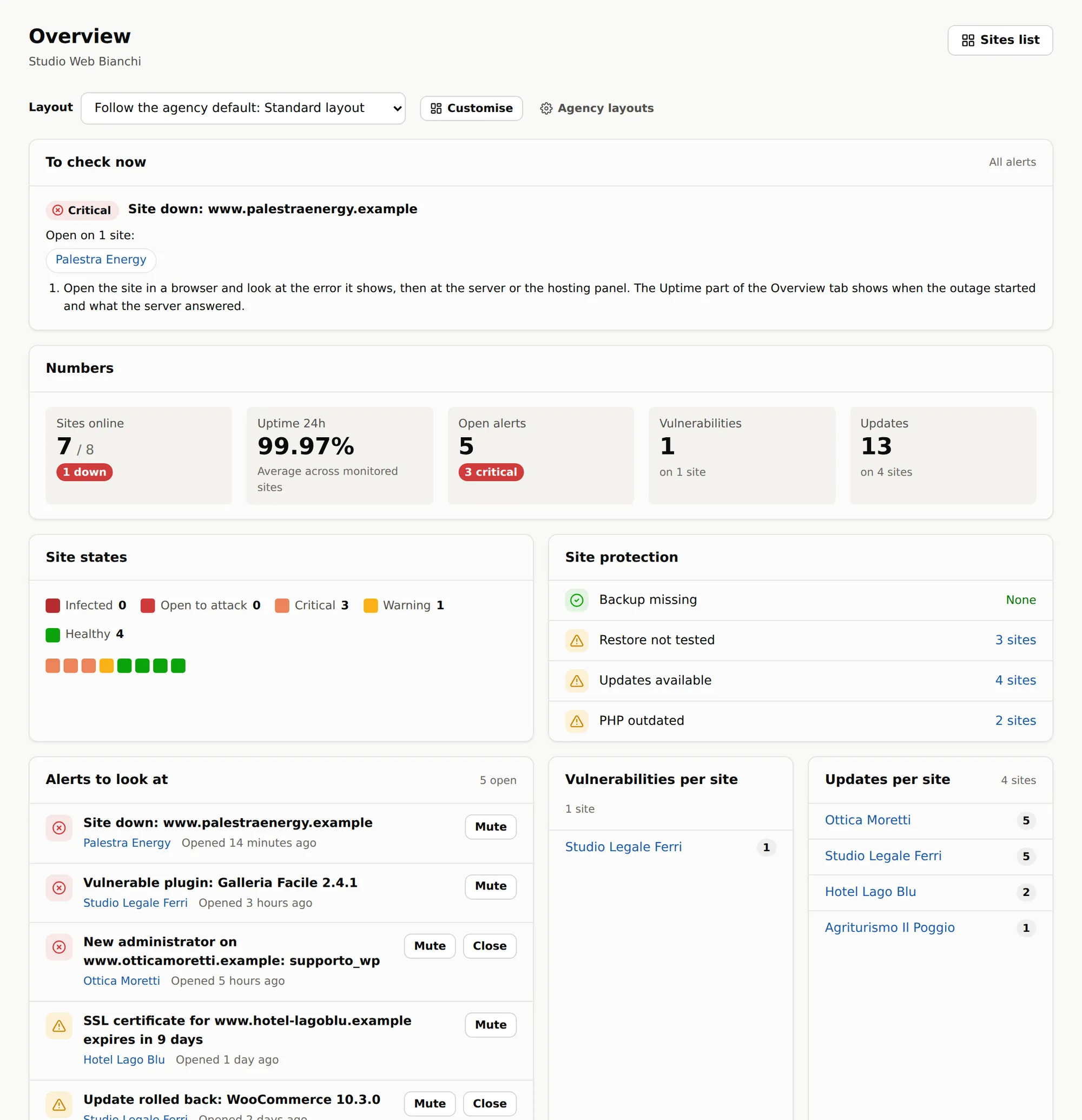
Alerts are sorted by severity with new ones on top, actions work on several sites at once, and a summary arrives by email.
Want to try it on a real site? The 30-day trial needs no credit card.
Start free trialFrequently asked questions
Can I look after both WordPress and Joomla sites?
Yes, with the same features: the Joomla agent shares its core with the WordPress one.
Can my clients see their own sites?
Yes, on Pro and Complete: a read-only login shows your client their own sites only, and a monthly report with your logo can reach them by email as a PDF.
What does the AI assistant of the dashboard read?
What the person asking can see: a colleague who looks after three clients gets answers about those three only. It reads the sites only if the owner allows it in Settings; otherwise it answers questions about SitePing. For now it only reads: you start updates and backups yourself.
Can I decide what each person on the team does?
Yes. Every function has its own permission: you build the roles you need, or start from the ready ones (Manager, Developer, Support, Read only), and give them on every site, on a group or on one site. A freelancer who looks after three clients sees only those sites and gets only their alerts. When we add a function, the roles you already have do not get its permission by themselves: you decide.
Can each person arrange the Overview their own way?
Yes. The Overview shows all the sites in blocks: the problem to check first, the numbers, one square per site, backups and updates. The agency makes named layouts on a grid of 4, 6 or 8 columns and picks the one everyone sees first. Each person chooses a layout, or copies it and moves, resizes and removes blocks in a copy only they see. On a phone the blocks are in one column.
Can two agencies manage the same site?
Yes, on Pro and Complete. Say you build the site and another agency runs the hosting. On the site page you pick what the other agency may do, with the same permissions as your team roles, and send it a code. The site stays connected to your account and counts only in your plan; the other agency sees it in its own dashboard, gets its alerts if you allow it, and you can take its access away at any time.
Goes well with
- Joomla website monitoring for web agenciesA native Joomla agent, with the same features as the WordPress one.
- One-click admin login to client sites, without shared passwordsA single-use 60-second link, recorded on the platform and on the site.
- A read-only API for the data of your sitesSites, alerts, uptime, updates and backups in your own tools, with limited keys.
- Automatic WordPress plugin updates that roll back when something breaksA restore point including the database, page checks and automatic rollback.
Try it on your clients' sites.
Connect your first sites today and see what SitePing finds on them.
- Every Complete feature except backups
- Up to 10 sites and 50 AI credits a month
- No credit card needed to start
- At the end you choose a plan or move to Free, and nothing is charged
Already have an account? Log in. Prefer to look at one site first? Free read-only audit.