
Status pages you can send to your clients
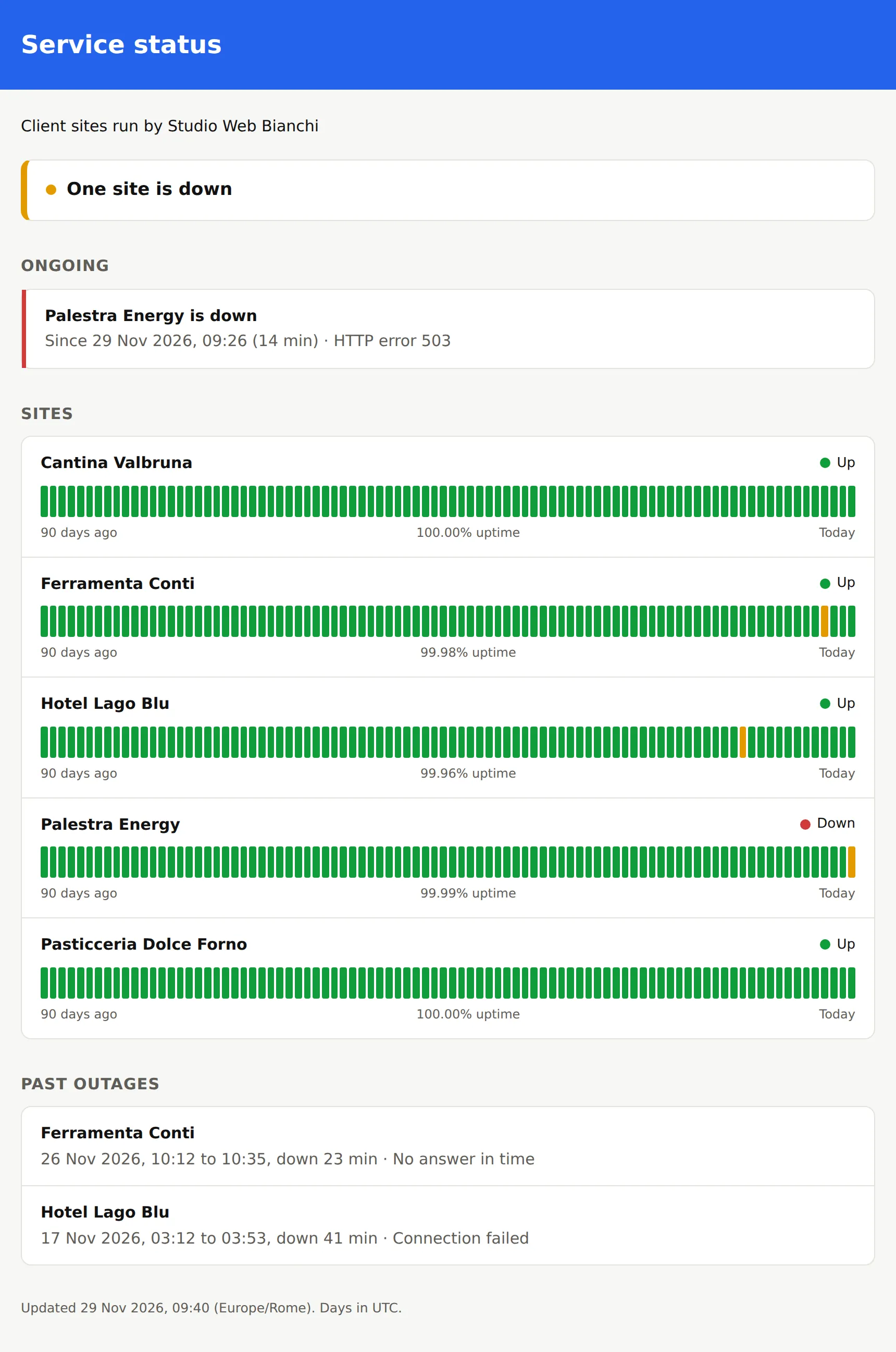
When a site is down your client wants to know if you know. A status page answers before they write.
During an outage the phone rings.
Each client calls or emails to ask what is happening, while you are trying to fix it.
A page with the state of their sites, which they can open at any time, takes those calls off your hands.
A page per client or per group of sites.
Choose the sites
Up to 100 sites per page, each with a public name if you do not want to show the address.
Shape it
Logo, main colour, light or dark theme, four system fonts, bars or a compact list, texts in English, Italian, German, French or Spanish. On Pro and Complete, your own CSS too.
Publish
The page lives at an address you pick on the platform. You can protect it with a password and hide it from search engines.
Want to try it on a real site? The 30-day trial needs no credit card.
Start free trialFrequently asked questions
How many status pages can I have?
One on Free and Solo, three on Essentials, and as many as you need on Pro and Complete, up to 20 per agency.
Can I use my own domain?
Not yet. The page is on the platform address for now.
What language do visitors read the page in?
The one you pick from English, Italian, German, French and Spanish. If you turn the option on, each visitor reads it in their browser's language, and subscribers get their emails in the language they signed up in. Title, description and site names stay as you write them.
Can I change the look with my own CSS?
Yes, on Pro and Complete, up to 20 KB. Style rules only: no @import, url() or external fonts, because the page loads nothing from other addresses.
Does the page use JavaScript?
No, except the analytics script if you choose one. The page has its own strict Content Security Policy.
Goes well with
- Incident management for client site outagesA page per outage with timeline, cause and team notes.
- Uptime reports and SLA targets you can show to clientsSLA targets, monthly PDF reports per client and CSV exports.
- Uptime checked from several regions, so a false alarm doesn't wake you upProbes in other regions confirm an outage before the critical alert.
- Uptime monitoring for your clients' WordPress and Joomla sitesChecks as often as every minute, response times and a check of the page text.
Try it on your clients' sites.
Connect your first sites today and see what SitePing finds on them.
- Every Complete feature except backups
- Up to 10 sites and 50 AI credits a month
- No credit card needed to start
- At the end you choose a plan or move to Free, and nothing is charged
Already have an account? Log in. Prefer to look at one site first? Free read-only audit.