
An accessibility panel for the visitors of your client sites
A client asks for the accessibility button they saw on another site. You turn it on from SitePing and the agent adds it to the site. On a site with no agent you paste one tag.
Most accessibility widgets load code from another company on every page.
The usual widget is a script on the vendor's servers. Every visit contacts two or three outside services, and some send the images of the page to an AI that writes alternative texts while the visitor reads.
We built ours into the agent. The site serves it, and the panel changes the page only for the visitor who asks for it.
How it works.
Turned on from the dashboard
On the site page you tick the panel and choose the corner, the size of the button and how many pixels to leave from the edges, the color, the language for pages in other languages, and the links to the accessibility statement and to report an accessibility problem, by email with the page address in the subject or on a page. The agent gets the settings with a signed request and adds the script to the public pages, never to the admin.
Served by the site
With the agent, script, styles and fonts are in its package. Visitors contact neither us nor anyone else, the panel sets no cookies and keeps the choices in the visitor's browser. From our platform come only values from closed lists, never code. The button loads about 14 KB after the page. Fonts and the heavier tools arrive only when a visitor picks them.
On sites without an agent
On a static site, a site builder or a Node application you paste one tag. The files come from our server, and the tag pins each script and style by its hash: if one changes, the browser refuses it. That server keeps no access log, so visitor addresses are not stored, and it does not receive the address of the page.
What visitors find
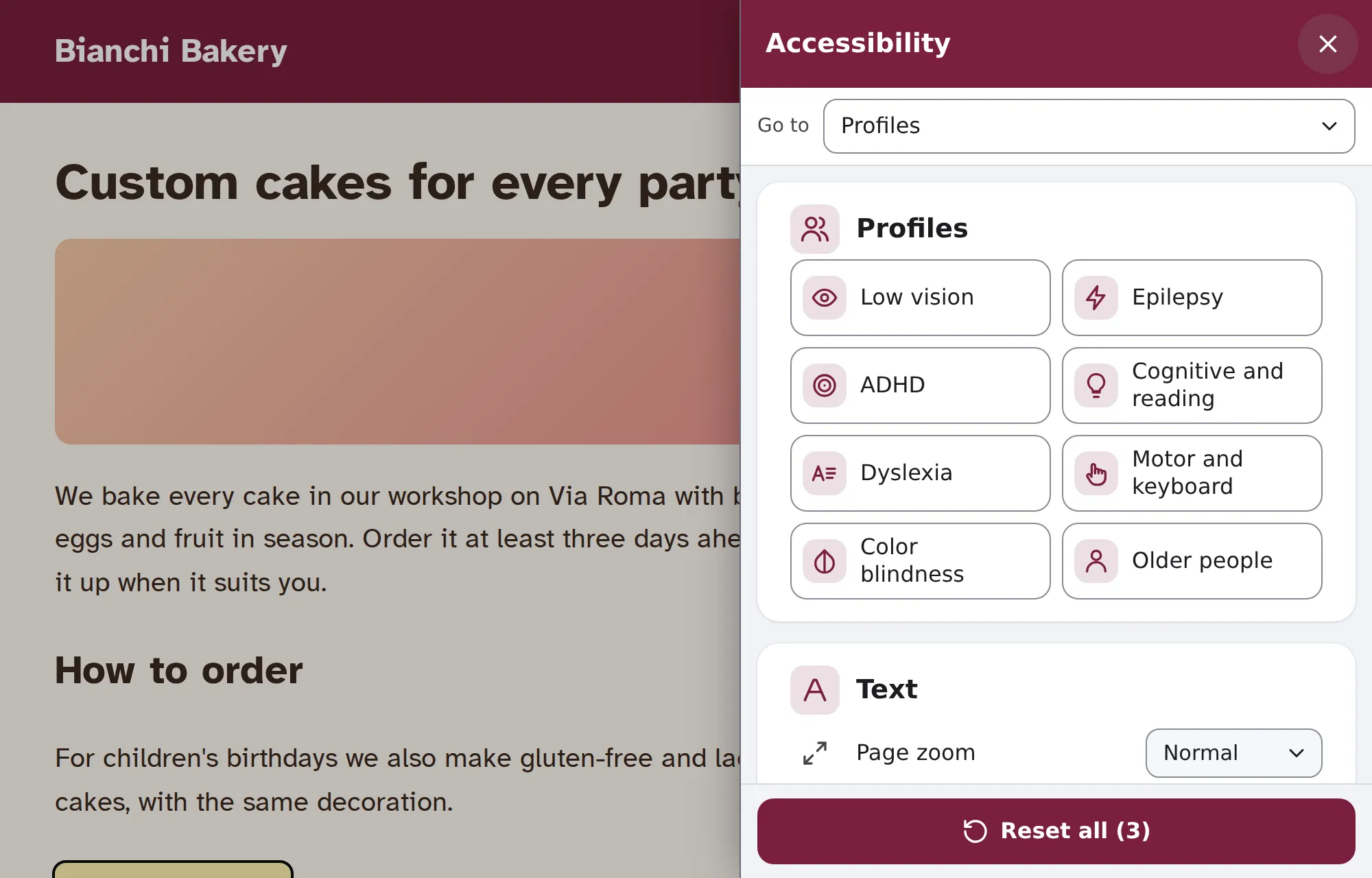
8 profiles, among them low vision, epilepsy, dyslexia and older people. Text size and zoom, a readable font and one for dyslexia, line, letter and word spacing, dark, light and high contrast, filters for color blindness, stopped animations, muted sounds, a reading guide and mask, a large cursor, the page structure, single key navigation, an on-screen keyboard, reading mode, read aloud and a dictionary. Alt+0 opens it, Alt+9 pauses every change.
Want to try it on a real site? The 30-day trial needs no credit card.
Start free trialFrequently asked questions
Does the panel make the site compliant with the European Accessibility Act?
No. The law and the WCAG judge the site itself. The panel helps visitors in the meantime; the fixes still go into the site.
Which plan has it?
Complete and the free trial.
Do visitors send any data to SitePing?
With the agent, no: the site serves every file of the panel. With the tag, their browsers download the files from our server, which sees the IP address to answer and keeps no log of it. In both cases the dictionary opens Wiktionary in a new tab, when a visitor has it on and double-clicks a word.
Does it work on a site without a CMS?
Yes, wherever you can add a script tag to the pages. The card on the site page gives you the tag and checks that it is on the home page.
Can it match the colors of the site?
The button and the header of the panel take the color you choose. The color of the icon and of the text is picked for contrast.
Which languages?
English, Italian, German, French and Spanish. The panel follows the language of the page, and the visitor can change it.
Goes well with
- WCAG accessibility of your client sites, page by pageLighthouse on the home page, axe-core on 20 pages, a PDF for the client.
- Core Web Vitals and PageSpeed for your client sites, every weekMobile and desktop scores over time, with an alert when they drop.
- Cookie consent on your client sites, checked every weekTrackers before consent, a banner with Reject, policy links, files from other companies and forms with personal data.
- Manage multiple WordPress and Joomla sites from one dashboardAll your clients' sites, WordPress and Joomla, in the same place.
Try it on your clients' sites.
Connect your first sites today and see what SitePing finds on them.
- Every Complete feature except backups
- Up to 10 sites and 50 AI credits a month
- No credit card needed to start
- At the end you choose a plan or move to Free, and nothing is charged
Already have an account? Log in. Prefer to look at one site first? Free read-only audit.